How We Turned My Kid's Drawing Into a Toy With AI

Jay Vergara 9 min read Updated
- Vibe coding
- Claude
- Claude Code
- 3D printing
- AI for parents
- AI tools
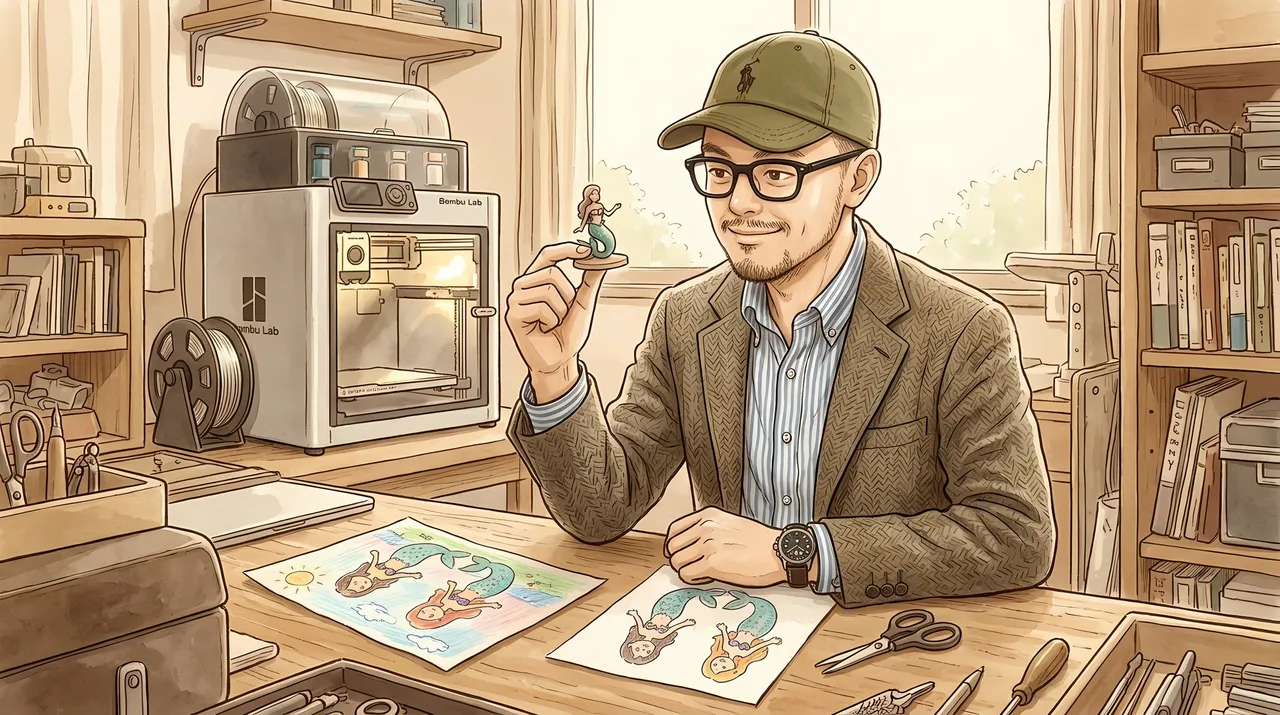
My daughter drew ten mermaids on one page with her colouring pencils, and two of them are now standing on my desk. The big green merman is me and the big mermaid next to him is her (the other eight are still waiting for names).
The video is on YouTube, and this is the build behind it.

Ten mermaids on a rainy day
It’s been raining a lot in Tokyo, so after school we’ve been going straight home, sometimes via the toy store or the gacha gacha place. This time I wanted to build on her video game and make the toy ourselves with AI and my 3D printer. I spend way too much on toys (some are really for me), and I want her to grow up knowing she can make her own instead of always buying the latest thing.
She’s been on a mermaid kick, so I gave her the colouring pencils and she went to town. To me it’s a Picasso. Objectively it’s a toddler’s drawing, and my first thought was whether Claude could figure it out.
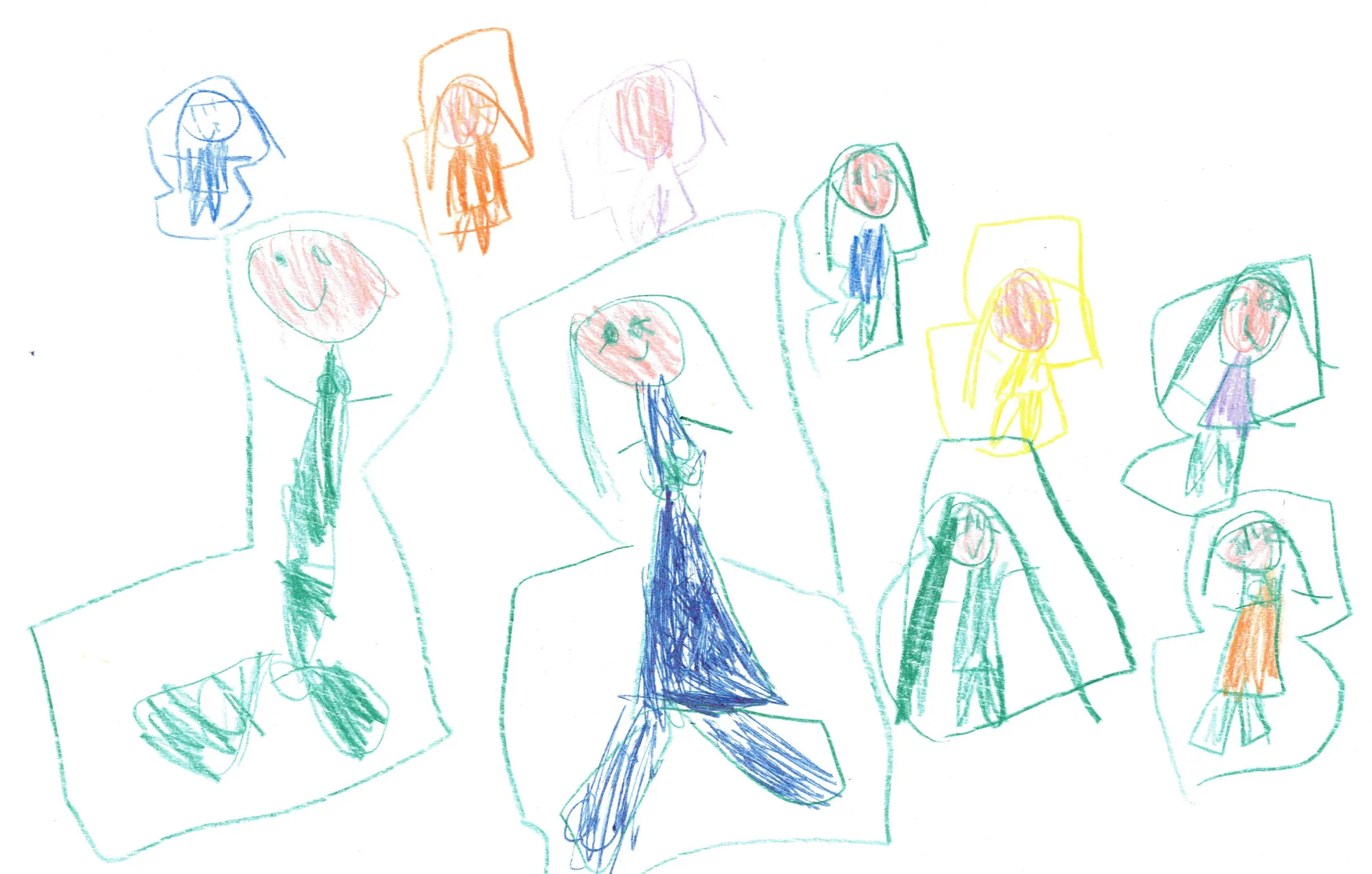 Her page of ten. I’m the green one top left and she’s the dark blue one under me.
The week of CAD that went nowhere
When I got my 3D printers a couple of years ago, I’d have had to design all of this myself, measurements included, and when something takes that much effort you end up quitting. I even asked my wife for a week off work and family stuff to study CAD and Blender. It did not work out well.
From colouring pencils to a 3MF file
I scanned the page and told Claude Code, an AI that writes the code while you describe what you want, my rough idea of a paper print glued onto some kind of stand. I didn’t have a firm picture of it, so we brainstormed.
Claude redrew the two of us as cartoons with Google’s Nano Banana 2.1 image model (two tries each, my face from two photos of me, her look from her character in the first game we made). Then it made an A4 sheet to print and cut, with each mermaid’s front and a mirrored back, 80 mm tall for me and 70 mm for her.
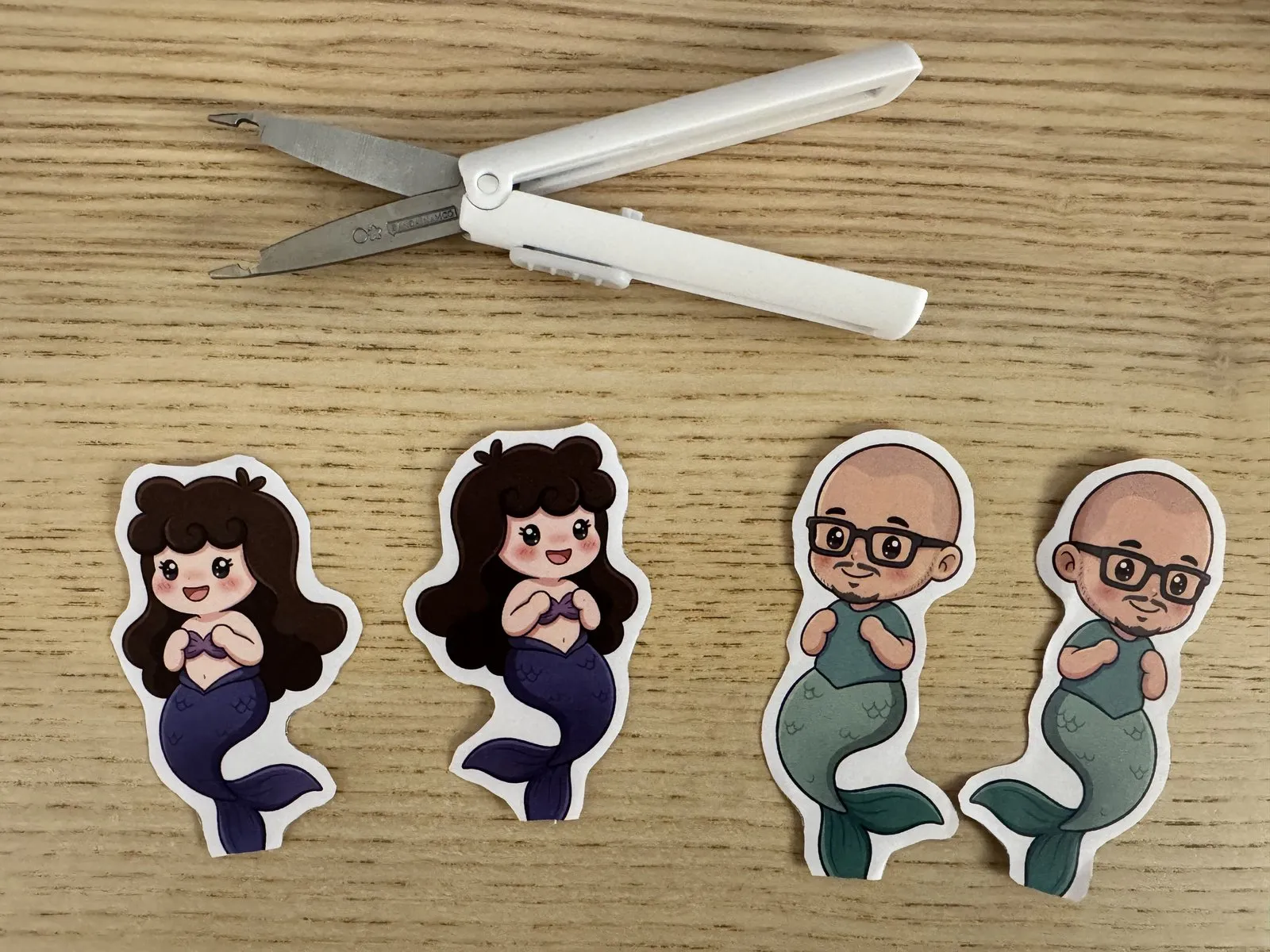 The four pieces after cutting. Each mermaid has a front and a back.
Claude designed the stands in build123d, a CAD tool you drive with code. Each one is a flat plate in the exact shape of a mermaid, with a tab that pushes into an oval sea base with three bubbles. It checked the parts with numbers (they fit the A1 Mini, about 0.15 mm of play in the slot) and rendered them before I saw anything.
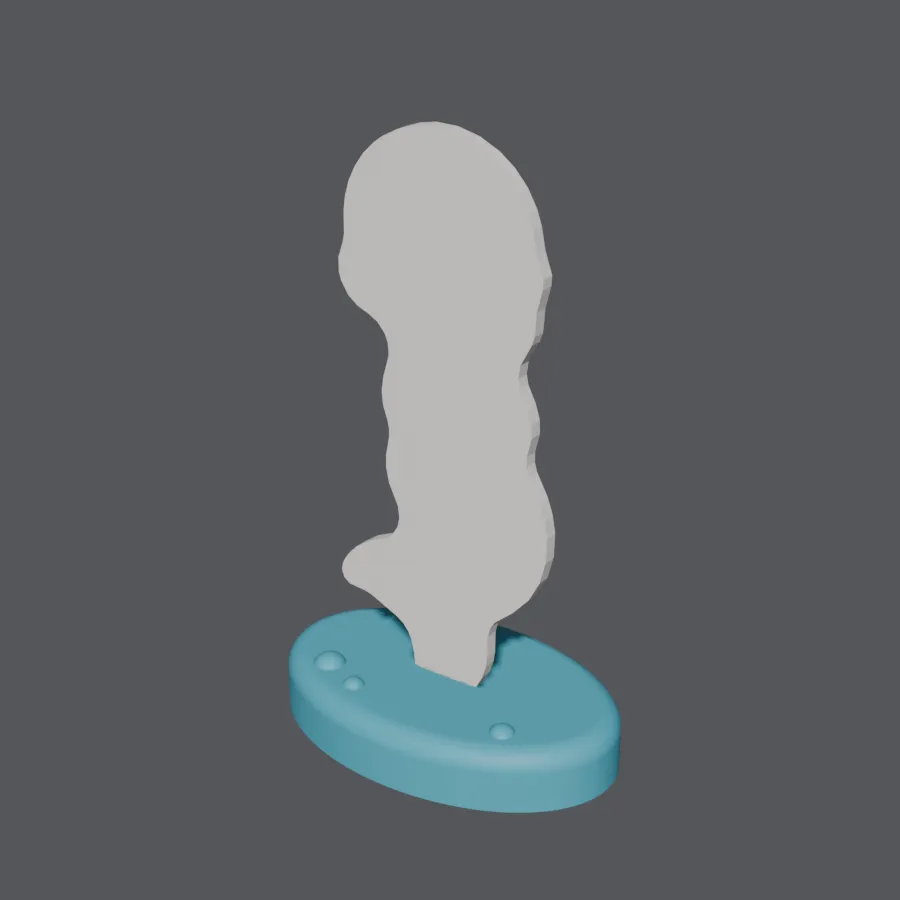 The render Claude made of my stand before anything printed.
I knew what a 3MF file was from the hobby, and with AI it’s so much easier now. As I said in the video, “it’s not just an STL file, it’s a 3MF file where it actually knows the type of filament that I’m using,” so it’s dialed in for my eSUN PLA+ and my printer.
From the scan to the pair standing up took about an hour of work, plus about 30 minutes for the prints themselves.
What I told Claude
I dictate instead of typing, so the real messages ramble (and Nano Banana comes out as “Nana Banana”). Here are my first two, cleaned up a little for this article with the same asks in the same order. The second is a few answers to Claude’s questions run together:
I want to work on my daughter's mermaids. She drew the two of us as
mermaids, plus a bunch of friends. Use Nano Banana 2.1 to redraw them
as cute cartoons, using what you know about me and my daughter.

Step one: I want to print them on my paper printer and cut them out
easily.

Step two: I want to glue the paper cut-outs onto little 3D-printed
stands, so each one becomes a character that stands up on the table.
The stand has to stand up easily. Let's talk it through first.
Let's start with just the two of us: me as a merman and her as a
mermaid. For the stand, I don't want the simplest option. Make it a
little more interesting, but nothing too crazy, and something I can
glue paper onto. About 7 to 8 cm tall. It's plain paper and a glue
stick.Nothing in there is technical. It says what the toy is for, how big, what I had at home and how fancy. My job, as I put it in the video, was to “take a step back and orchestrate what I wanted to have at the very end,” and Claude worked out the rest.
The ¥18,000 detour
Not a lot went wrong with the mermaids, but the image step has a history. On a different project I had Claude chase the highest quality images for an animated version of myself (the character system behind my illustrations), using Nano Banana Pro at 2K and 4K. My Google image bill hit eighteen thousand yen, about 1,550 images in 25 days.
Cartoons don’t need that. We draw at 1K now and upscale for free on my MacBook Pro, and you basically can’t tell the difference. Claude can orchestrate a whole bunch of stuff, but it pays, quite literally, to look at the details.
Eight mermaids without names
The other eight are still blank. Claude didn’t guess who they are, so they sit in the notes as questions for my daughter. Next I’d like to skip the paper and glue and print her art straight onto the toys with a UV printer (in the video I called it a resin printer, which was wrong). Hey Anker, are you out there?
My daughter summed up the method herself (“You need to draw. And cut it. And print it.”) and gave her verdict, “Toy making is better.” That’s an absolute win for me.
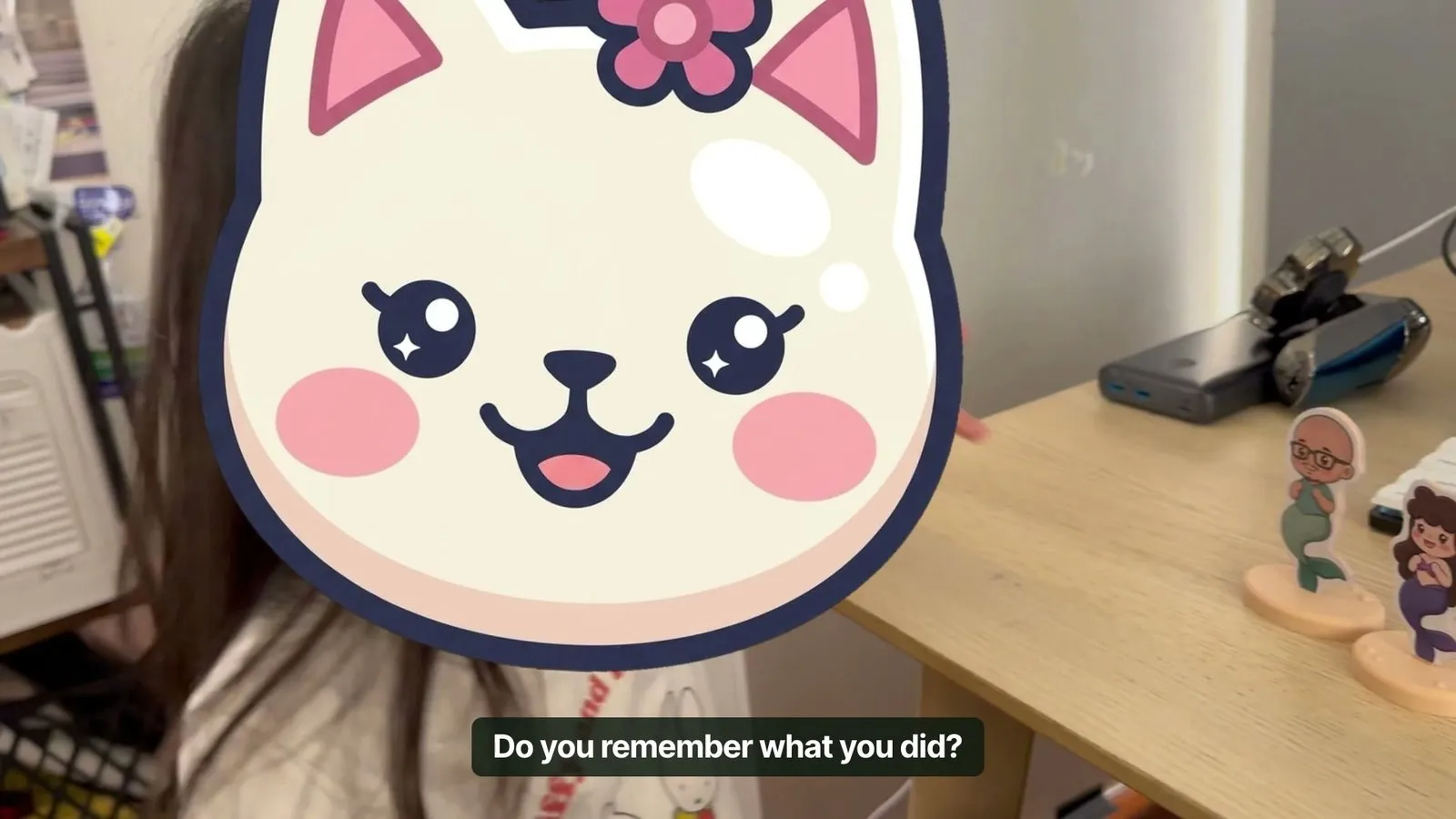 My daughter as Dancing Cat, with the finished pair.
The skill stack
A skill stack is two or three things you’re only okay at, put on one project so the overlap does what none of them could do alone. You don’t need to be great at AI or at 3D printing, you just need to know how to put them together, and the result is something only you could make.
An L&D career. Learning and development folks are a dime a dozen. When I cross mine with what I learned in my MBA, what I know about AI, making YouTube videos and working in both Japanese and English, the combination is uniquely me (more on how AI is changing L&D).
Your kid’s next drawing. The brief below covers it.
Hand your AI this brief
Paste this into your AI so it can read the story first:
I just read this article about turning a child's drawing into a real
toy with AI and a 3D printer:
https://leadhuman.ai/build/turn-a-drawing-into-a-toy-with-ai

A non engineer built it by talking to Claude Code. The stack: a
scanned colouring pencil drawing, an image model (Nano Banana 2.1 at
1K, upscaled for free) to redraw it as a cartoon, a print and cut A4
sheet with a front and a mirrored back, stands designed in code with
build123d, and Bambu Studio to slice them for a Bambu Lab A1 Mini. If
you can browse the web, read the article first (if it won't open,
carry on without it). Then help me build my own version in three
levels.

Level 1: I'll upload a photo of one drawing and tell you what my kid
said about it. Redraw it as a cute cartoon that keeps their lines,
then lay out an A4 sheet I can print at 100%: the front, a mirrored
back, a smooth cut line, and a fold under paper base so it stands
without a 3D printer.

Level 2: Help me set up Claude Code and do the same for every
character on the page, all in one style, at a height in millimetres
I choose. Use the cheapest image setting that looks good and tell me
what each image costs.

Level 3: Design a stand in code: a flat plate in the exact shape of
the cut line, a tab underneath, and a base with a slot about 0.3 mm
wider than the tab. Check every part with numbers (watertight, fits
my printer's bed), render it for me, then slice a small fit test and
the real parts into one 3MF with my filament's profile.

Rules for every level: keep every detail my kid drew and add nothing
they didn't. Keep a list of questions for my kid instead of guessing
names or colours. Show me every picture before it goes on the sheet.
Don't put my kid's name or face on anything, and nothing about my kid
gets published or shared anywhere without my explicit yes.
Level one only needs a home printer, scissors and a glue stick, so it works tonight.
More videos on the leadhuman.ai YouTube channel.
Subscribe on YouTube
Jay Vergara lives in Tokyo and builds things with AI. He writes about what he learns at leadhuman.ai, makes videos about it on YouTube, and posts on LinkedIn. Most of his career has been in learning and development (L&D) and training.
You might also like
How My 5 Year Old and I Built a Game With AI
My 5 year old drew the characters, I talked to Claude Code, and we built a game with AI in about an hour. The real prompt and mistakes are inside.
How I Automated YouTube Uploads Without Writing Code
I automated YouTube uploads with Claude and Gemini. A finished video used to cost me 45 minutes of forms. Now I drop it in a folder and tap approve.
The MCP Servers I Use With Claude (and Why)
I've connected eight MCP servers to Claude so it can actually do real work in my Notion, Drive, Gmail, and more. Here's what each one does.