
How I Automated YouTube Uploads Without Writing Code
The part of YouTube I never budgeted for is what happens after the video is done. The file is exported and sitting on my desktop, the creative work is over, and I’m still about 45 minutes away from shipping it.
The 45 minute upload ritual
It started with opening the browser and picking the right channel out of the two I run, because leadhuman and Peak Potential live on separate accounts. Then the file went up and the forms began. The title had to be catchy but short because mobile truncates anything long, the description needed keywords worked in naturally along with timestamps and links back to the site, then tags and category on top. Some weeks I shipped eleven Shorts in a batch, and every single one demanded the full ritual.
Since April, 176 dated folders have piled up in my upload logs across both channels. I never had one dramatic night where I snapped. The snap happened slowly, one upload form at a time, until I asked Claude to make the whole thing disappear.
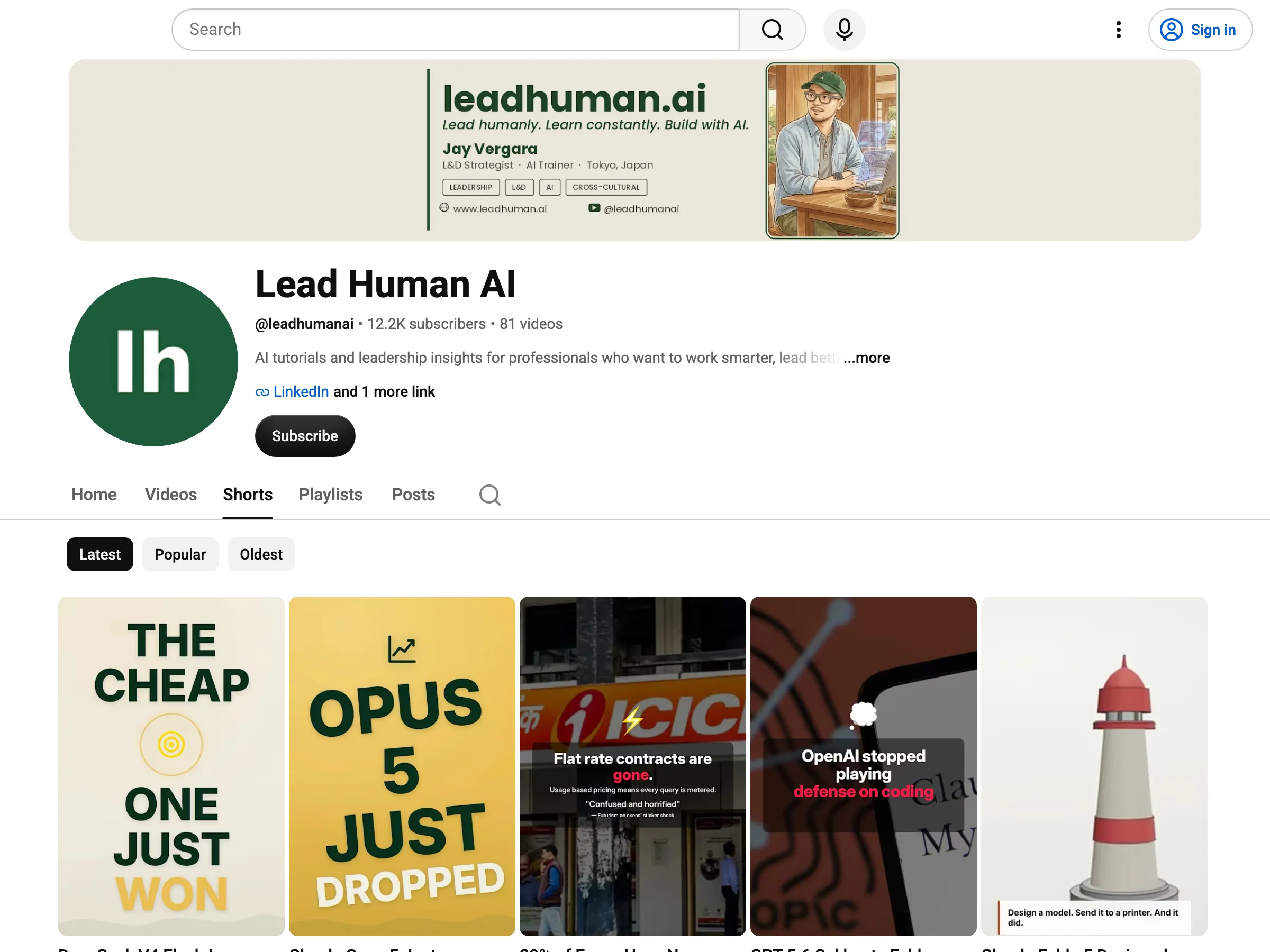 The receipts. Everything on this wall shipped through the inbox folder.
What shipping looks like now
I drag the finished video into a folder called inbox. Gemini watches it, and I mean actually watches it, then writes down what the video says and shows. Claude takes that analysis and drafts the title, the description with timestamps, the tags, and decides which content pillar it belongs to. A preview prints on my screen, I approve it with one command, and the video goes up through the official YouTube Data API as private, so I get a last look in YouTube Studio before anything goes public.
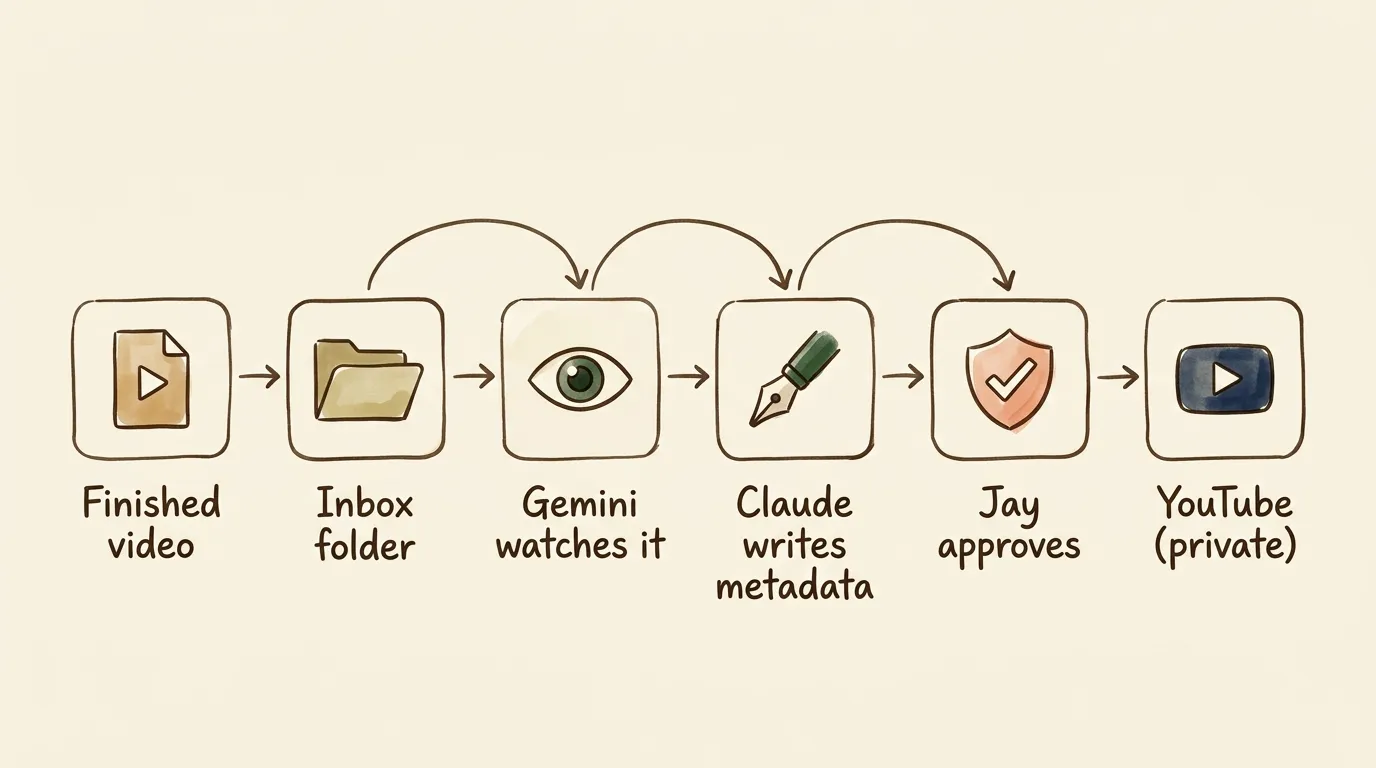 The whole system on one napkin. The only step that needs me is the approval in the middle, on purpose.
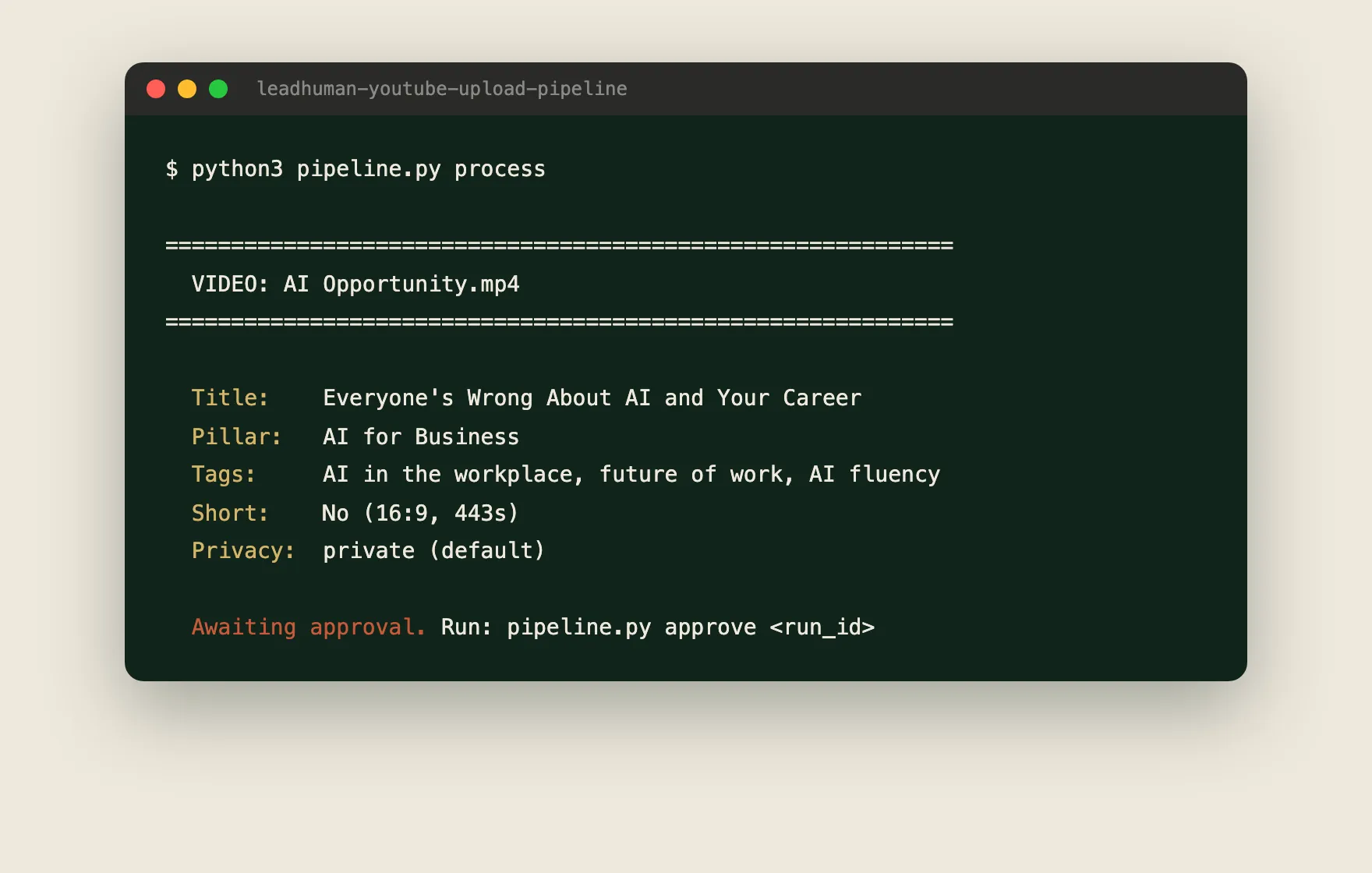 The real July preview. The pipeline waits for my yes.
I didn’t write the Python that runs this. Claude did, the same way it built my character illustration system and the website this post lives on. What I wrote is something closer to a job description.
The instruction file that replaced the forms
Every time the pipeline runs, it hands Claude an instruction file that Claude and I wrote together. This is an excerpt from the real one:
**Hard limit: 40 characters or fewer.** Titles over 40 characters get
truncated on mobile, which is where 90%+ of Shorts viewers are.

- Good: "AI Trust Gap Nobody Talks About" (35 chars)
- Bad: "You Won't BELIEVE What Your Team Is Doing" (clickbait)
- Bad: "Understanding the AI Communication Gap in Modern Workplaces" (generic)
That file is the actual work I contributed. Not code but taste, written down clearly enough that a machine can apply it at two in the morning without me. If you know what a good title looks like for your audience, you already have the qualification this build requires. Claude handles the wiring.
The feature I learned didn’t exist
While drafting this article Claude and I went looking for a screenshot of the Telegram message the pipeline supposedly sends to my phone after each upload. It has never sent one. The configuration line for the bot token was empty from day one, and when the token is missing the code skips the message without complaining. Eighty uploads on this channel alone and I never noticed, because the terminal preview was already giving me everything I needed.
The system you use every day drifts from the system you think you built, and you find the gaps when you try to explain your build to someone else.
The thumbnail problem I still haven’t solved
Shorts thumbnails are handled, since the first seconds of every Short are designed to read as a big bold title card, baked in by the video pipelines. Long form is different. Thumbnails matter far more there, and every attempt I’ve made at automating them has produced something that looks automated. So I still make long form thumbnails by hand in Adobe Express, and it bugs me every time. If you’ve cracked this one, I would genuinely love to hear how.
The butler pattern
This build is a butler, not a factory. The pattern is a watched folder as the trigger, an AI that can see doing the reading, an AI trained on your taste doing the writing, and one human approval before anything ships. That shape carried all 176 uploads, and it fits almost any repetitive handoff:
Podcast show notes. Drop the episode audio in a folder, get a description with timestamps and quotes.
Course uploads into your LMS. Module descriptions, learning objectives, and tags drafted from the slide deck. My L&D people know exactly how tedious this form is (more on what AI is doing to L&D on the other side of this site).
LinkedIn packaging. A finished blog post goes in, post copy and alt text come out, in your actual posting style.
Client deliverable handoffs. When a finished deck lands in the folder, a summary email with next steps gets drafted for your review.
Hand your AI this brief
If you want the YouTube version, copy this block straight into your AI. It points back to this article on purpose, so your AI can read the full context instead of guessing:
I just read this article about automating YouTube uploads:
https://leadhuman.ai/build/automate-youtube-uploads

A non engineer built it by directing Claude. The stack: a watched
inbox folder, Gemini for video analysis, Claude for writing the
metadata, and the YouTube Data API for the upload, glued together
with Python that Claude wrote. If you can browse the web, read the
article first. Then help me build my own version in three levels.

Level 1: I'll paste a transcript. Draft a title under 40 characters,
a description with keywords and timestamps, and tags. Ask me about
my channel and audience before writing anything.

Level 2: Propose the simplest way to run this automatically whenever
I drop a video file into a folder on my computer.

Level 3: Add an approval step so nothing is ever published without
my explicit yes. Uploads should default to private.
Start at level one tonight. It needs a transcript and ten minutes, and it already deletes the worst part of the form.

Jay Vergara is an L&D strategist and cross-cultural communication specialist based in Tokyo. He is a partner at Peak Potential Consulting and writes about leadership, learning, and building with AI at leadhuman.ai and on LinkedIn.
You might also like

How to Get AI to Draw the Same Character Every Time
I'm not an engineer. I vibe coded a system with Claude that gets Gemini to draw the same character across every blog post. Here's exactly how the conversation went.

How I Built a Council of AI Advisors (And Why You Should Too)
What if instead of one AI chat for everything, you had a personal advisory council? Each specialist trained on your context, your voice, and your goals. Here's how I built mine using Claude and why it changed how I work.

The MCP Servers I Use With Claude (and Why)
I've connected eight MCP servers to Claude so it can actually do real work in my Notion, Drive, Gmail, and more. Here's what each one does.